{email_subject}
#outlook a{padding:0;}
.ReadMsgBody{width:100%;} .ExternalClass{width:100%;}
.ExternalClass, .ExternalClass p, .ExternalClass span, .ExternalClass font, .ExternalClass td, .ExternalClass div {line-height: 100%;}
body { margin: 0; padding: 0; height: 100%!important; width: 100%!important; -webkit-text-size-adjust: 100%; -ms-text-size-adjust: 100%; mso-line-height-rule: exactly;}
table,td { border-collapse: collapse !important; mso-table-lspace: 0pt; mso-table-rspace: 0pt;}
img { border: 0; height: auto; line-height: 100%; outline: none; text-decoration: none; max-width: 100%!important; -ms-interpolation-mode: bicubic;}
img.aligncenter { display: block; margin: 0 auto;}
/* TinyMCE of WP */
.alignleft { float: left; margin: 7px 15px 7px 0px; }
.alignright { float: right; margin: 7px 0px 7px 15px; }
.aligncenter { display: block; margin-left: auto; margin-right: auto; }
.screen-reader-text { display: none }
figcaption { display: block; }
@media screen and (max-width: 525px) {
.wrapper { padding-left: px; padding-right: px; padding-bottom: px; padding-top: px;}
.m-d-block {display: block}
.m-d-none {display: none; visibility: hidden; color: transparent;}
.m-pb-1 { padding-bottom: 16px!important; }
.p-0 { padding: 0 !important; }
.pt-1, .padding-top-15 { padding-top: 15px!important; }
.pb-1, .padding-bottom-15 { padding-bottom: 15px!important; }
.dh { display: hidden }
.fs-90 {
font-size: 90%;
}
.responsive { width:100%!important; }
table.responsive { width:100%!important; float: none; display: table; padding-left: 0; padding-right: 0; }
table[class=”responsive”] { width:100%!important; float: none; display: table; padding-left: 0; padding-right: 0; }
img { max-width: 100%!important }
img[class=”responsive”] { max-width: 100%!important; }
/* “width: auto” restores the natural dimensions forced with attributes for Outlook */
.fluid { max-width: 100%!important; width: auto; }
img[class=”fluid”] { max-width: 100%!important; width: auto; }
.block { display: block; }
td[class=”responsive”]{width:100%!important; max-width: 100%!important; display: block; padding-left: 0 !important; padding-right: 0!important; float: none; }
td.responsive { width:100%!important; max-width: 100%!important; display: block; padding-left: 0 !important; padding-right: 0!important; float: none; }
td[class=”section-padding-bottom-image”]{
padding: 50px 15px 0 15px !important;
}
/* For grids */
.max-width-100 { max-width: 100%!important; }
/* Obsolete */
.tnp-grid-column {
max-width: 100%!important;
}
}
/* Custom CSS */
/* End Custom CSS */
/* Text */
.text p {
margin: 0 0 15px 0 !important;
}
.text a {
color: #007bff;
text-decoration: none;
}
/* Html */
.html-td-global p {
font-family: Helvetica, Arial, sans-serif;
font-size: 16px;
}
/* Last posts */
@media (max-width: 525px) {
.posts-1-column {
width: 100%!important;
}
.posts-1-image {
width: 100%!important;
display: block;
}
}
Water Less Y'all Irrigation Tip
|
Your sprinkler has a seasonal setting. Are you using it?
Your landscape’s water needs change throughout the year — but your sprinkler controller doesn’t have to be completely reprogrammed every time they do.
Seasonal Adjust is a simple feature on most sprinkler controllers that lets you scale your programmed watering times up or down as the seasons change.
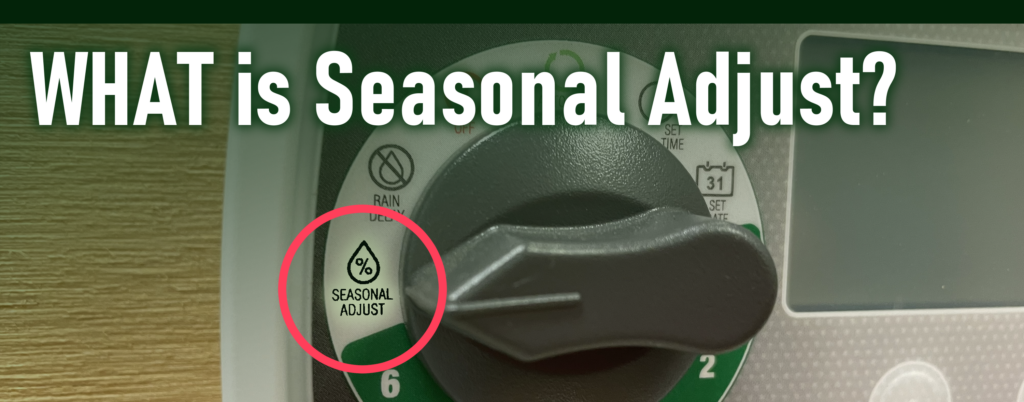
Seasonal Adjust changes the runtime while keeping your existing watering days and start times the same.
Instead of reprogramming every zone when your landscape needs more or less water, Seasonal Adjust applies a percentage to the run times you’ve already programmed.
|
|
|
|
For example, if a zone is programmed for 10 minutes:
100% → 10 minutes
70% → 7 minutes
50% → 5 minutes
Your watering days and start times stay the same; only the run times are adjusted.
|
|
|
|

Your landscape doesn’t need the same amount of water all year
As temperatures and weather conditions change, so does your landscape’s need for water.
Cooler months require less irrigation than the heat of summer. Seasonal Adjust gives you an easy way to scale back your programmed run times when your landscape doesn’t need as much water — and increase them again as demand rises.
As a general rule of thumb:

These percentages are a starting point. Continue following your city or utility’s watering schedule for when you’re allowed or recommended to water.
|
|
|
|
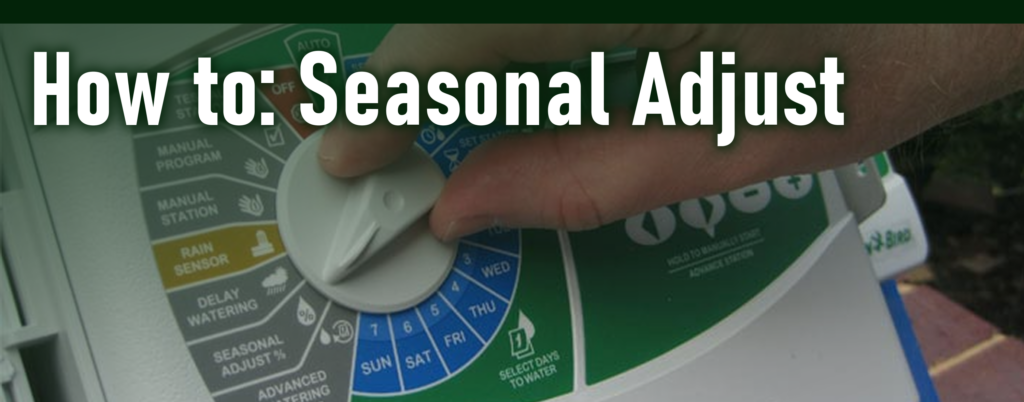
Using Seasonal Adjust is simple:
1. Find it
Locate the Seasonal Adjust setting on your sprinkler controller.
2. Set it
Choose the percentage that matches the current season and your landscape’s needs.
3. Let it run
Put your controller back to “Auto” or “Run”. Your programmed watering schedule will stay in place while the controller adjusts the run times for you.
No need to reprogram every zone!
|
|
|
|
BONUS TIP:
After a significant rain event, turn your irrigation controller OFF for about a week. And as a general rule of thumb, turn irrigation off around Halloween and back on no earlier than St. Patrick’s Day.
|
|
|
|
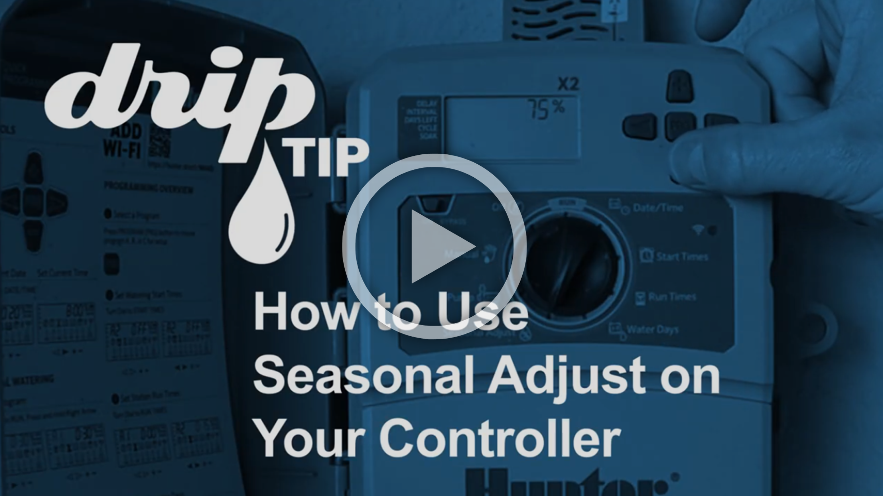
Learn better from videos?
Check out our “Drip Tip” video on Seasonal Adjust! –
|
|
|
|
900 North Kealy Street
P.O. Box 305
Lewisville, Texas 75067
(972) 219-1228
www.utrwd.com
|
|
|
|
Copyright © 2026 Upper Trinity Regional Water District, All Rights Reserved.
|
|
|
|
|
|
|